
Cloud vs On-Premise Limo Software: What's Better?
Limozoft · 23 September 2026 · 6 min read
Compare cloud limo software with on-premise systems on cost, access, security, and uptime to see which fits a small chauffeur fleet best.
For most operators running 1 to 10 vehicles, cloud limo software is the better fit because it removes upfront hardware costs, handles updates and backups for you, and lets you dispatch from anywhere. On-premise software still makes sense in a narrow set of cases, usually when a business has strict local-only data rules or an existing IT setup it wants to keep. This guide walks through the real differences so you can decide with clear eyes rather than marketing claims.
The choice affects your monthly costs, how much time you spend on maintenance, and whether you can manage a busy night from your phone. Below we compare the two models across the factors that actually matter to a small chauffeur business.
The Difference Between Cloud and Installed Software
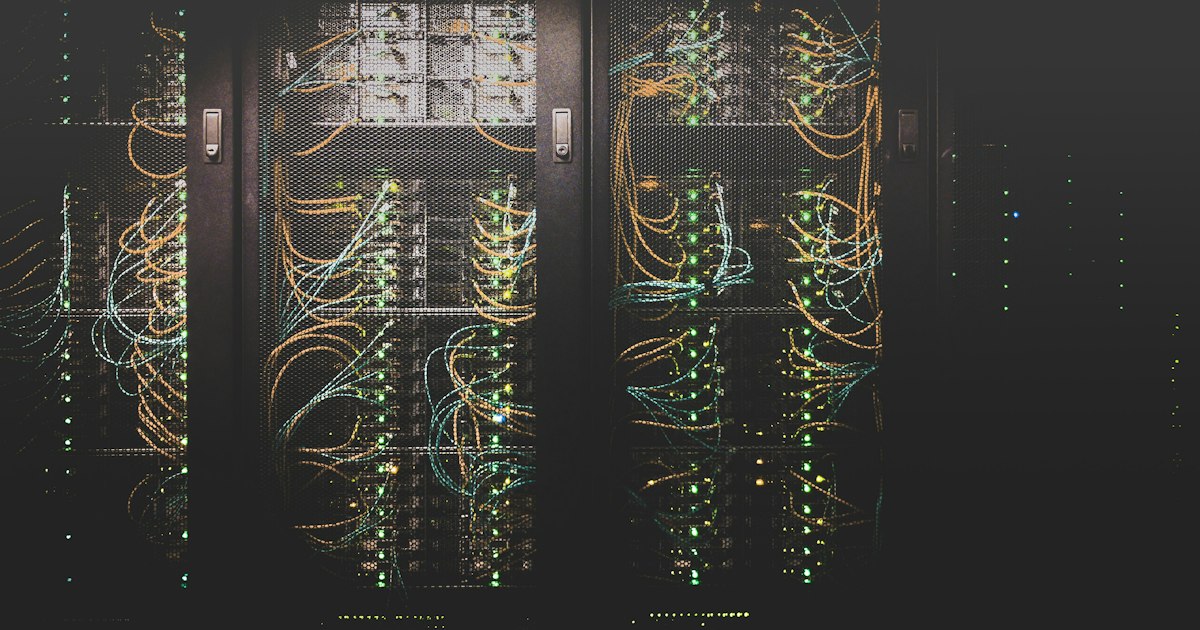
On-premise software installs directly onto a computer or a server you own and keep on your premises. You buy it once, load it onto your hardware, and that machine holds your data and runs the program. If you want to reach your booking system, you sit at that computer or connect to it over your local network.
Cloud limo software works differently. The program and your data live on servers the provider operates and maintains. You reach it through a web browser or a mobile app, and the provider handles the machines running behind the scenes. The National Institute of Standards and Technology defines cloud computing around traits like on-demand self-service and broad network access, which in plain terms means you get to your tools whenever you need them, from whatever device you have on hand.
For a limo or chauffeur business, that distinction shapes daily work. With an installed system, dispatch happens at one desk. With a cloud system, dispatch happens wherever you are.
Cost, Maintenance, and Update Comparisons
On-premise software usually carries a larger upfront price. You pay for the license, and often for the server hardware to run it and keep it available. After that, updates, security patches, and repairs fall to you or an IT contractor you hire.
Cloud limo software typically uses a monthly or annual subscription. There is no server to buy and no separate hardware to keep running. The provider ships updates automatically, so you are always on the current version without scheduling downtime or paying for an install. Backups and patching happen on the provider's side.
The maintenance difference matters most for a small operator who is also the owner, the dispatcher, and sometimes the driver. Time spent troubleshooting a crashed office server is time away from the road. A cloud model shifts that work to the provider. When you are weighing subscription pricing against a one-time purchase, factor in the ongoing cost of maintaining your own hardware, which rarely shows up on the sticker.
Accessing Your Dispatch Console From Anywhere
This is where cloud limo software earns its keep for a mobile business. A cloud dispatch console runs in a browser or app, so you can open it on a phone, tablet, or laptop. You can assign a run, check a chauffeur's status, or confirm a pickup from a coffee shop, an airport curb, or your own driveway.
An on-premise console ties you to the machine it runs on. If a booking comes in at 11 p.m., you either drive to the office or leave it until morning. For a fleet that lives on airport transfers and late-night jobs, that limitation costs real money.
Limozoft is built around this model. Its web booker, passenger and chauffeur apps, and dispatch console all run in the cloud, so the same live view of your operation follows you between devices.
Data Security and Backups in the Cloud
Security is the concern operators raise most when they hear the word cloud, and it deserves a straight answer. Storing data on someone else's servers feels riskier than keeping it on a machine you can see. In practice, a reputable cloud provider usually protects your data better than a small business can protect its own.
Data breaches are expensive when they happen. IBM's research found the global average cost of a data breach reached USD 4.88 million in 2024, a 10% increase from the year before, according to its 2024 Cost of a Data Breach report. Few small fleets could absorb a fraction of that. A serious provider spreads the cost of encryption, monitoring, and recovery across all its customers, which buys a level of protection that would be out of reach for one operator paying alone.
Backups follow the same logic. On an office computer, a backup only exists if someone remembers to make it, and a stolen or failed machine can take your booking history with it. Cloud providers run automatic backups across redundant systems, so a single hardware failure does not erase your records. When you evaluate a provider, ask directly how they encrypt data and how often they back it up.
Reliability and Uptime Considerations
Uptime is the fair counterargument for on-premise software: if the program runs on your own machine, it does not depend on an internet connection. A cloud tool needs a working connection to reach the console. That is a genuine tradeoff, and the honest answer is to plan for it. Keep a mobile hotspot on hand so a local outage does not stop dispatch, since most cloud apps run fine over a phone's cellular data.
Set against that, a well-run cloud service is often more reliable than a single office computer. Providers run on redundant infrastructure designed to stay available even when individual machines fail, and they publish uptime commitments. An office server has no such redundancy. If it dies on a Friday night, your booking system is simply gone until it is repaired. The question is not which model can fail, but which one recovers faster and which one you can reach from the road.
Why Small Fleets Increasingly Choose Cloud Tools
Cloud adoption among smaller businesses is now the norm rather than the exception. Flexera's 2024 State of the Cloud report found that small and medium businesses run 61% of their workloads and 60% of their data in the public cloud, the highest cloud adoption of any segment it measured, per its 2024 cloud computing trends analysis. Limo and chauffeur operators are part of that shift for practical reasons.
The pull comes down to a few things:
- Lower cost of entry. No server to buy and no large upfront license means a new or small operator can get running for a predictable monthly fee.
- Less maintenance. Updates, patches, and backups move off the owner's plate and onto the provider.
- Mobility. The business runs from a phone, which matches how a chauffeur operation actually works.
- Room to grow. Adding a vehicle or a driver on a cloud plan is a settings change, not a hardware project.
That last point matters as you expand. Software that scales without a hardware upgrade removes a real barrier to growth, which is exactly the friction a growing fleet wants to avoid.
Making the Call for Your Fleet
For a small chauffeur business, cloud limo software fits how the work is done: mobile, lean on staff, and sensitive to upfront cost. On-premise software still suits operators bound by strict local data rules or committed to existing IT, but that is a smaller and shrinking group.
Your next step is concrete. Before you commit to any platform, list your three busiest dispatch moments in a typical week and ask a shortlist of providers to show you exactly how their console handles each one from a phone. The tool that answers that clearly is the one worth trying. If you are early in that search, choosing a limo booking system: a buyer's guide gives you a structured way to compare your options.
Frequently asked questions
What is cloud limo software?
It is dispatch and booking software that runs on a provider's remote servers and reaches you through a web browser or mobile app. You do not install or maintain any server yourself.
Is cloud limo software cheaper than on-premise?
For most small fleets, yes. Cloud tools use a monthly subscription with no upfront hardware or server purchase, and the provider handles updates and backups, which lowers ongoing IT costs.
Is my data safe in the cloud?
Reputable providers encrypt data, run automatic backups, and maintain security controls that most small operators cannot afford in-house. Choose a provider that is transparent about encryption and backup practices.
Can I access a cloud dispatch console when I am away from the office?
Yes. A cloud console runs in a browser or app, so you can view bookings, assign chauffeurs, and check status from a phone, tablet, or laptop anywhere with an internet connection.
What happens if my internet goes down with cloud software?
You need a connection to reach a cloud console, so keep a mobile hotspot as backup. Most cloud apps still function over a phone's cellular data, which keeps dispatch running during a local outage.