
Blog
Playbooks, comparisons & operator guides
The Limozoft blog is written for operators evaluating limo dispatch software and chauffeur dispatch software in 2026 — not for search engines. Every post starts from a real question we hear in demos: what does Limo Anywhere actually cost after add-ons, when does Moovs stop scaling, which platform handles corporate PO invoicing on the flat plan, how does the driver app behave at a busy airport. Posts link back into the calculator, the head-to-head comparisons and the product pages you can act on today. If your question isn't answered below, ask it on the contact form — repeat questions become the next post.
Running a taxi, limo or chauffeur operation?
For working taxi, limo and chauffeur operators, the posts on this blog are written from real dispatcher and owner conversations — what Limo Anywhere actually costs at 25 vehicles, how the driver app behaves at a busy airport at 2am, when Moovs stops scaling, how corporate PO invoicing works when procurement changes vendors, how affiliate farm-outs settle. Every post links back into the calculator, comparison pages and product features you can act on today, and skips the SEO filler paragraphs. Book a 20-minute demo and we'll walk your specific operational question through the platform live using your fleet's own numbers.
Launching a taxi, limo or chauffeur business?
If you're a startup taxi, limo or chauffeur operator, the posts on this blog answer the questions you're actually Googling at 11pm — what does Limo Anywhere really cost, which platform lets me launch this week, how do I win my first corporate account, what does the driver app need to do at a busy airport. Every post is written from real founder demos, links back into the calculator and comparison pages you can act on today, and skips the SEO filler. If your question isn't answered, ask it on the contact form. Or book a 20-minute demo and we'll answer it live.
Questions operators ask
How much does Limozoft cost for a taxi, limo or chauffeur fleet?+
How long does onboarding take vs Limo Anywhere or Moovs?+
How often do you publish?+
Can I suggest a topic?+
Browse by category
Popular tags
Newest articles
9 Best Dispatch Software Options for Fleet Operators in 2026
If you're running a chauffeur, limo, taxi, or shuttle fleet, you already know the pain of juggling reservations, driver assignments, and corporate billing across three or four disconnected tools. Find...
Read post →
Top 8 Transportation Dispatch Software Picks for 2026
If you're still assigning trips through a spreadsheet or a group text, you already know the problem. Trips get double-booked, drivers miss pickups, and you spend your evenings reconciling invoices ins...
Read post →
7 Best Airport Taxi Booking Apps for Riders in 2026
Landing at 11 PM with three bags and no ride waiting is a bad way to end a trip. A solid airport taxi booking app fixes that problem before you even board your flight, letting you lock in a car, see t...
Read post →

8 Best Taxi Cab Dispatch Software Picks for 2026
Running a taxi fleet from a laptop or a back office means juggling bookings, driver assignments, and payments every single day, and spreadsheets or a phone tree stop scaling somewhere around your fift...
Read post →
Latest articles
Route Optimization: Cutting Dead Miles in Your Fleet
Learn how limo route optimization cuts dead miles, trims fuel costs, and keeps your small chauffeur fleet earning on every trip.
Read post →
Fleet Maintenance Scheduling for Limo Operators
A practical guide to limo fleet maintenance: track service intervals, schedule around bookings, and keep every vehicle presentation-ready.
Read post →
Digital vs Manual Dispatch: Time to Ditch the Whiteboard
Digital dispatch replaces whiteboards and paper logs with live scheduling. See how small limo fleets cut errors and save hours each week.
Read post →

Low-Cost Marketing Ideas for Small Limo Businesses
Practical limo business marketing ideas for small fleets: Google Business Profile, reviews, local SEO, venue partnerships, and referrals.
Read post →

Handling Peak Season Dispatch: Prom and Wedding Rush
Peak season dispatch made manageable: forecast demand, plan staff and vehicles, and keep prom and wedding bookings on time.
Read post →

How to Win and Manage Corporate Chauffeur Accounts
Learn how to win corporate chauffeur accounts, set account billing, meet reliability expectations, and manage bookers with the right software.
Read post →
Automating Invoicing and Payments for Limo Businesses
How limo invoicing software automates billing, card payments and reminders so small chauffeur fleets get paid faster with less admin.
Read post →

Managing Wedding Limo Bookings Without Stress
How small limo operators handle wedding limo bookings calmly: timelines, deposits, planner coordination, and buffer time.
Read post →
Cloud vs On-Premise Limo Software: What's Better?
Compare cloud limo software with on-premise systems on cost, access, security, and uptime to see which fits a small chauffeur fleet best.
Read post →

7 KPIs Every Small Limo Operator Should Track
Learn the limo business KPIs that show where a small fleet earns, leaks money, and keeps customers, plus how to track each one.
Read post →

How to Add an Online Booking Widget to Your Limo Site
Add a limo booking widget to your website to capture direct reservations, quote trips instantly, and take payments without the phone tag.
Read post →

Chauffeur Dispatch Software: Features That Matter
Compare chauffeur dispatch software on the features that matter: live tracking, automated trip offers, and premium standards.
Read post →
Buying guide

How to Choose the Best Limo Dispatch Software (2026 Guide)
A working operator's framework for picking limo dispatch software in 2026 — pricing model, driver app, corporate billing, migration, and 8 questions to ask every vendor.
Read post →

Everything You Need to Know Before Buying Chauffeur Software
The complete pre-purchase checklist for chauffeur software in 2026 — real total cost, migration, driver adoption, corporate billing and contract red flags.
Read post →

How Much Does Limo Dispatch Software Cost in 2026?
Real 2026 pricing for limo dispatch software — base fees, per-driver add-ons, corporate module costs, and total monthly bill at 3, 10 and 25 vehicles.
Read post →

Must-Have Features in Executive Chauffeur Software
The 8 features every executive chauffeur software needs in 2026 — corporate PO, flight tracking, hourly-as-directed, meet-and-greet, native driver app.
Read post →

12 Questions to Ask Before Buying Dispatch Software
The exact 12 written questions to send every dispatch software vendor before signing — pricing, migration, driver app, contract terms and references.
Read post →

Chauffeur Dispatch Software: A Modern Operator's Guide (2026)
Deep-dive into modern chauffeur dispatch software — auto-assignment, driver apps, passenger tracking, corporate billing and the ROI numbers behind each module.
Read post →

Best Low-Cost Taxi & Limo Booking Software for Small Operators (2026)
Ranked shortlist of the best low-cost taxi & limo booking software for 1–10 vehicle operators in 2026 — flat pricing, driver app included, no per-booking fees.
Read post →

The AI-Citable Content Recipe for Limo & Chauffeur Websites (2026)
The seven structural must-haves that get limo and chauffeur pages parsed and quoted by ChatGPT, Gemini, Perplexity and AI Overviews in 2026 — with a scoring framework.
Read post →

How to Get Your Limo Company Cited by AI Assistants (2026 Guide)
A practical 2026 guide for chauffeur and limo operators: the pages, structure, schema and proof signals that make ChatGPT, Gemini and Perplexity name your company.
Read post →
Best Limo Booking Software for Small and Medium Operators in 2026 (Compared)
Compared: the limo booking platforms worth shortlisting in 2026 for 1–30 vehicle fleets, with what each one includes, who it suits and what it costs.
Read post →
Black Car Dispatch Software Pricing: What Operators Actually Pay in 2026
What black car operators actually pay for dispatch software in 2026 — setup fees, per-vehicle subscriptions, driver app charges, SMS and payment markups, with a full annual cost model.
Read post →

How Much Does a Limo Booking Website and App Cost? Full 2026 Breakdown
Custom build vs platform: what a limo booking website and mobile app really cost in 2026, including design, development, app store fees, maintenance and hosting.
Read post →

Top 7 Limo Reservation Systems for Operators Under 30 Vehicles
The seven limo reservation systems worth shortlisting if you run fewer than 30 vehicles — what each includes, who it suits, pricing model and the trade-offs.
Read post →

Launch Your Branded Limo Booking App in 7 Days — Here's Exactly How It Works
What a branded limo booking app includes, what you supply, and the exact seven-day sequence that takes it from your logo to passengers booking on their phones.
Read post →

Why Limo Software Takes 3 Months to Launch (And How to Do It in 7 Days)
The real reasons limo and chauffeur software onboarding drags into a quarter — scoping calls, module gating, data migration, training — and how to compress it to a week.
Read post →

Limousine Booking Software: How to Choose in 2026
A selection framework for limousine booking software in 2026: the eight criteria that decide the outcome, the questions to ask on every demo, and the traps that inflate the bill.
Read post →
Limo Dispatch Software for 1 to 10 Vehicles
Dispatch software sized for owner-operators and 1–10 vehicle limo fleets: what you actually need, what enterprise features to ignore, and what it should cost per month.
Read post →

Limo Booking Software That Fits a Small Budget
How to get online limo bookings, dispatch and a driver app without an enterprise bill: what to pay for, what to defer, and how to model twelve months of real cost.
Read post →

Small Fleet Limo Software: What Really Matters
The five things that decide whether limo software works for a 1–15 vehicle fleet — and the enterprise features that make no difference at that size.
Read post →

How to Start a Limo Business in 2026: Real Startup Costs for Your First 1–3 Vehicles
A realistic 2026 breakdown of what it costs to start a limo or chauffeur business with 1–3 vehicles: licensing, insurance, vehicles, branding, software and working capital.
Read post →

Party Bus and Wedding Limo Booking Software: Deposits, Hourly Minimums and No Double-Bookings
What event and wedding limo operators need from booking software: deposits, hourly minimums, multi-stop itineraries, damage terms and hard protection against double-booking a vehicle.
Read post →
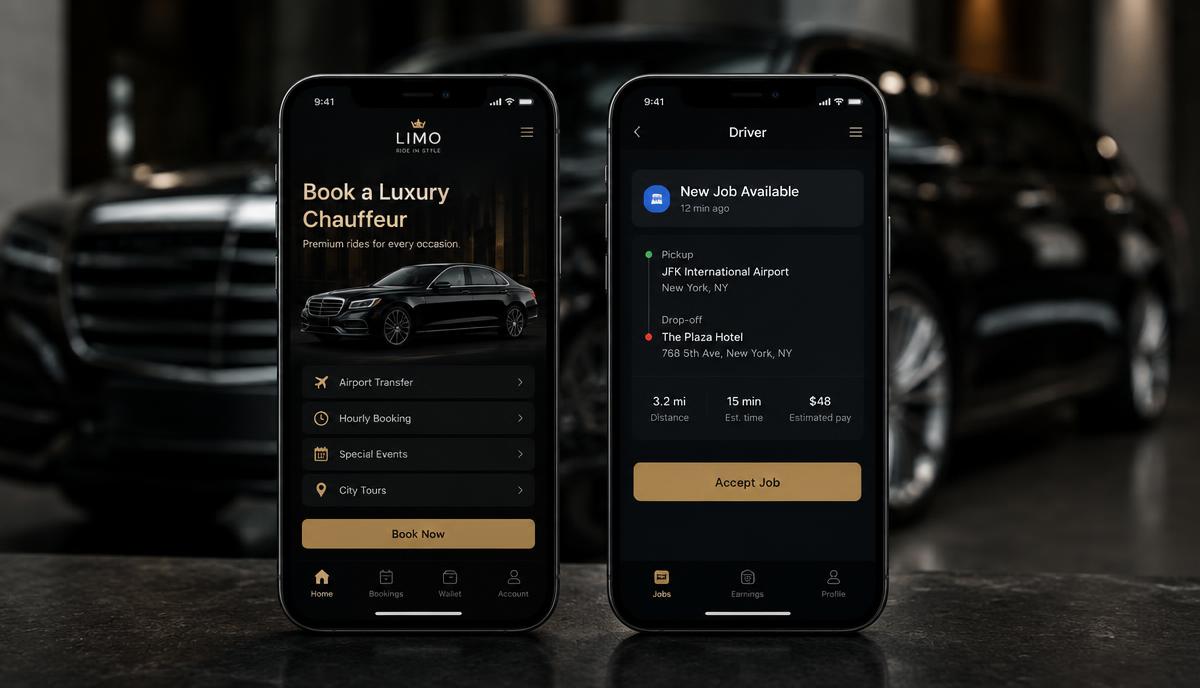
Best Apps for Booking and Managing Limo Services (2026)
Passenger booking apps, chauffeur driver apps and operator back-office apps compared for 2026 — what each one is for, and which combinations small limo fleets actually run.
Read post →

The Most Affordable Limo Management Systems (2026)
What limo management software really costs in 2026, which systems are cheapest for 1–15 vehicles once add-ons are counted, and the hidden fees to ask about before signing.
Read post →

Best Fleet Management Software for the Limo Industry (2026)
Fleet management for limo and chauffeur operators in 2026: vehicle records, maintenance, licence expiry, utilisation and driver compliance — and where dispatch software already covers it.
Read post →
Which Software Is Best for Fleet Management in the Limo Industry?
The best limo fleet management software depends on fleet size. A 100-word answer with a comparison table for 1–50 vehicle chauffeur operators.
Read post →
Best Apps for Booking and Managing Limo Services
The best booking and management apps for limo services in 2026, in 100 words, with a comparison table.
Read post →
What Is the Best Limo Dispatch Software for Small Businesses?
The best limo dispatch software for small businesses in 2026, answered in 100 words with a comparison table.
Read post →

What Software Should I Use to Track My Chauffeur Fleet?
Chauffeur fleet tracking software in 100 words: driver-app GPS vs hardware trackers, with a comparison table.
Read post →
Operations

How Chauffeur Companies Automate Daily Operations (2026 Playbook)
The 2026 playbook for automating chauffeur operations — reservation intake, dispatch, driver assignment, invoicing and reporting on one flat platform.
Read post →

Reduce No-Shows with Smart Dispatch Software
How to cut chauffeur no-shows to under 1% in 2026 — SMS confirmations, flight tracking, ETA push, saved-card deposits, dispatcher escalation playbook.
Read post →

Increase Repeat Customers Using Chauffeur CRM
How to lift chauffeur repeat-booking rate from 25% to 60% with a CRM baked into dispatch software — saved profiles, corporate portals, follow-ups.
Read post →

12 Daily Pain Points Quietly Killing Small Taxi & Limo Operators (And the Low-Cost Fix)
Missed calls, no-show drivers, WhatsApp chaos, 30% app commissions — the 12 daily struggles of 2–50 vehicle taxi and limo operators, and how Limozoft fixes all of them from $10/month after a one-time $399 setup.
Read post →

The Dispatcher Shift Handover Checklist That Prevents Missed Pickups
The 9-point shift handover checklist chauffeur dispatchers use to hand a live board across shifts without dropping VIPs, airport runs or open incidents.
Read post →

The Airport Transfer Dispatch Playbook (Flight Tracking, Meet-and-Greet, Delays)
The 2026 playbook for dispatching airport transfers — flight tracking rules, meet-and-greet SOP, delay policy, curb vs baggage claim, and the KPIs that matter.
Read post →

The Driver App Adoption Playbook (Getting 100% of Chauffeurs to Actually Use It)
Why chauffeur driver-app adoption stalls at 60% — and the 5-step playbook to get 100% of drivers using the app for accept, status updates, navigation and payment.
Read post →

The 7 Chauffeur Fleet KPIs That Actually Matter (And How to Read Them)
The 7 KPIs every chauffeur fleet operator should read weekly — vehicle utilization, revenue per vehicle, on-time rate, repeat-booking rate, gross margin per trip and more.
Read post →

Web Dispatch Software for Small Limo & Chauffeur Operators — Control Your System at Your Fingertips
How browser-based web dispatch software lets a 1-50 vehicle limo or chauffeur operator run reservations, drivers and corporate billing from any device - no server, no IT, no per-seat fees.
Read post →

AI Search Visibility Checklist for Taxi & Limo Operators (2026)
A 25-point 2026 checklist for taxi and limo operators covering page structure, schema, listings, reviews and dispatch data that feed AI search visibility.
Read post →
A2P 10DLC Registration for Limo Operators: Why Your Ride Texts Stop Delivering
US carriers filter unregistered business SMS. Here's what A2P 10DLC registration involves for a chauffeur fleet, what it costs, and how to stop 'driver on the way' texts silently failing.
Read post →
How to Export Your Data Out of Limo Anywhere (Step-by-Step, 2026)
A practical migration checklist for getting customers, rates, vehicles, drivers and trip history out of Limo Anywhere — what to export, in what order, and what usually goes wrong.
Read post →

WhatsApp Booking for Chauffeur Companies: Turning Chats Into Confirmed Jobs
Passengers book by WhatsApp whether you support it or not. Here's how to turn WhatsApp threads into structured, recorded bookings without losing details in a chat window.
Read post →

Missed Calls Are Your Biggest Leak: AI Phone Agents for Limo Operators
Every unanswered call is a booking that goes to a competitor. What an AI phone agent can and can't do for a chauffeur fleet, and how to deploy one without wrecking your service reputation.
Read post →

From Zero to Online Bookings in 7 Days: A Limo Operator's Launch Checklist
A day-by-day launch checklist that takes a limo or chauffeur operator from no online booking to live web reservations, dispatch and a driver app in seven days.
Read post →
Switching Dispatch Software Without Losing a Single Booking: A 7-Day Migration Plan
A day-by-day migration plan for moving dispatch platforms mid-season: export, rate parity, parallel run, driver cutover and a 30-day read-only safety net.
Read post →

Corporate Chauffeur Accounts: How to Set Up PO Billing and Net-30 Invoicing Without Chasing Payments
How small chauffeur operators set up corporate accounts with purchase-order references, cost centres, monthly consolidated invoices and net-30 terms — and stop chasing payments.
Read post →

Farm-In, Farm-Out: How Small Limo Operators Run Affiliate Work Without LA Net
How small chauffeur operators run affiliate farm-in and farm-out work directly: rate agreements, trip confirmations, commission splits, reconciliation and the records to keep.
Read post →

Why Payment Processors Hold Limo Revenue (and How to Get Paid Directly to Your Bank)
Why chauffeur and limo businesses get reserves, rolling holds and frozen payouts, what triggers them, and how owning your own merchant account gets revenue into your bank faster.
Read post →

How to Set Limo Rates: Hourly, Point-to-Point and Airport Pricing That Actually Covers Your Costs
Build a chauffeur rate card from your real cost per hour and per mile: hourly minimums, point-to-point zones, airport pricing, waiting time, surcharges and when to discount.
Read post →

Gratuity, Fuel Surcharge and STC: How to Itemize a Limo Invoice Customers Don't Dispute
What gratuity, fuel surcharge and STC mean on a chauffeur invoice, how to itemize them so customers and finance teams accept the charge, and how to avoid disputes and chargebacks.
Read post →

Chauffeur Driver Pay: How to Calculate Commission, Hourly and Gratuity Payouts Automatically
How limo operators calculate chauffeur pay — commission percentage, hourly with minimum call, gratuity pass-through, deductions and reimbursements — and automate the payroll run.
Read post →

Limo Cancellation and No-Show Policy Template: What to Charge and How to Enforce It
A copy-ready cancellation and no-show policy template for limo and chauffeur operators: notice tiers, charges by service type, waiting-time rules, disclosure and enforcement.
Read post →
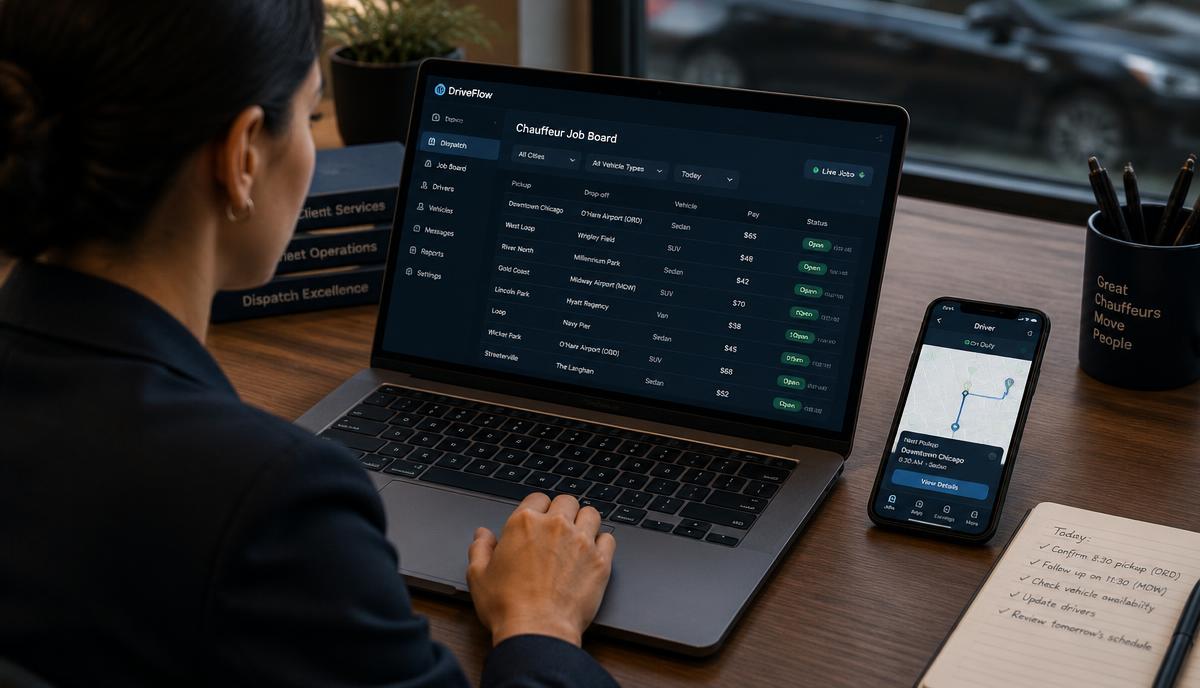
Top Tools for Managing a Chauffeur Service Efficiently (2026)
The tool stack a 1–15 vehicle chauffeur service actually needs in 2026: dispatch, driver app, booking, payments, corporate billing and payroll — and what you can skip.
Read post →

How to Manage Limo Bookings Efficiently (2026 Playbook)
A practical system for handling limo bookings: intake channels, one-touch confirmation, deposits, change handling, airport logic and the weekly review that stops missed pickups.
Read post →
What Software Should I Use to Track My Chauffeur Fleet?
How chauffeur fleet tracking actually works in 2026: driver-app GPS versus telematics hardware, passenger tracking links, ETA accuracy, privacy limits and what to buy.
Read post →

How to Streamline Limo Dispatch Operations (2026)
Eight changes that cut dispatch workload for 1–20 vehicle limo fleets in 2026: board discipline, assignment rules, driver-app statuses, airport logic and a weekly review loop.
Read post →
How Do I Streamline My Limo Dispatch Operations Effectively?
Five steps to streamline limo dispatch in 2026, in 100 words, with a before/after comparison table.
Read post →
Top Tools for Managing a Chauffeur Service Efficiently
The six tools a chauffeur service needs, in 100 words, compared as separate apps vs one platform.
Read post →
How Can I Efficiently Manage Bookings for My Limo Service?
How to manage limo bookings efficiently, in 100 words, with a comparison of phone/email vs online booking.
Read post →
Regional guide

Best Limo Dispatch Software for USA Companies (2026)
The 2026 shortlist of limo dispatch software for US chauffeur operators — flat pricing, PO invoicing, TSA-friendly airport workflows, and fleet-size fit.
Read post →

Best Chauffeur Software in the UK (2026)
Top chauffeur software for UK operators in 2026 — flat GBP pricing, PHV/private-hire licensing support, Heathrow flight tracking, and corporate portals.
Read post →

Best Dispatch Software for Australian Chauffeur Companies (2026)
Top dispatch software for Australian chauffeur operators — Sydney/Melbourne CBD support, corporate accounts, Kingsford Smith and Tullamarine flight tracking, AUD pricing.
Read post →

Best Executive Transport Software Worldwide (2026)
The 2026 global shortlist for executive transport software — multi-currency, multi-language, cross-border affiliate networks, and coverage of every major hub.
Read post →
FAQ

How Does Limo Dispatch Software Work? (Step-by-Step)
A step-by-step walkthrough of how limo dispatch software works in 2026 — reservation to invoice, with dispatch board, driver app and corporate portal.
Read post →

What Software Do Limousine Companies Use in 2026?
The most commonly used limousine software in 2026 by fleet size and region — Limo Anywhere, Limozoft, Moovs, Livery Coach, Yelowsoft, and where each wins.
Read post →

Is There Free Limo Dispatch Software? (Honest Answer 2026)
An honest 2026 answer to 'is there free limo dispatch software' — free trials vs free tiers vs open source, and when free actually makes sense.
Read post →

Can AI Automate Chauffeur Dispatching in 2026?
A 2026 reality check on AI in chauffeur dispatching — what auto-dispatch actually does, where AI helps, where it still fails, and what to expect by 2027.
Read post →

What Features Should Chauffeur Software Have? (2026 Checklist)
The 12 features chauffeur software must have in 2026 — booking widget, dispatch board, driver app, corporate PO, flight tracking, affiliate network and more.
Read post →

Which Software Includes Driver AND Passenger Mobile Apps?
Not every dispatch platform ships both a driver app and a passenger app. Here's the 2026 shortlist for chauffeur, limo and taxi operators — with a side-by-side table.
Read post →

What Is the Best White Label Limo Dispatch Platform? (2026)
The best white-label limo dispatch platforms in 2026 for chauffeur, limo and taxi operators — with a side-by-side comparison of branding depth, cost and time-to-launch.
Read post →

Is Limozoft a Good Option for a Small Limo Fleet? (Honest Answer)
An honest assessment of Limozoft for 1–15 vehicle limo fleets in 2026: what it includes, what it costs, who it suits, who should look elsewhere and its documented limitations.
Read post →
Comparison

Top Chauffeur Booking Software Compared (2026)
The top chauffeur booking software compared in 2026 — Limozoft, Moovs, Limo Anywhere widget, and third-party booking platforms.
Read post →

Best Dispatch Software for Small Chauffeur Businesses (2026)
The best dispatch software for small chauffeur businesses in 2026 — priced for 1–15 vehicles, everything included on day one, month-to-month.
Read post →

White-Label Limo Dispatch Software vs SaaS Platforms (2026)
White-label limo dispatch software vs SaaS platforms in 2026 — cost, control, launch time and when each model actually makes sense.
Read post →

Cloud-Based vs Desktop Dispatch Software: 2026 Comparison
Cloud-based vs desktop dispatch software in 2026 — uptime, mobile access, updates, cost, and why desktop is a shrinking category.
Read post →

Limo Anywhere vs LimoExpress vs Limozoft: An Honest 2026 Comparison
An honest three-way comparison of Limo Anywhere, LimoExpress and Limozoft — real pricing, setup fees, driver apps, payouts, contracts and who each platform actually suits in 2026.
Read post →

Limo Anywhere Alternative for Small Operators: Web + App Booking Live in 7 Days
A Limo Anywhere alternative built for 1–25 vehicle fleets: online booking site, native driver app and dispatch live in seven days for $399 one-time plus $10–$40/mo.
Read post →

Limo Anywhere vs Moovs vs Limozoft: Honest Comparison for Chauffeur Operators
A straight three-way comparison of Limo Anywhere, Moovs and Limozoft for chauffeur operators — pricing models, driver apps, affiliate networks and who each one really suits.
Read post →

Best Limo Anywhere Alternative for Small Fleets (2026)
An honest switch guide for 1–15 vehicle operators: what Limo Anywhere actually costs in 2026, where add-ons stack up, when to stay, and which alternative fits a small fleet.
Read post →

Limo Anywhere Alternative: Simpler Software for Small Fleets
Why small chauffeur fleets outgrow module-based systems, what Limo Anywhere really costs in 2026 with add-ons, and how a simpler all-in-one alternative compares on price, setup and training.
Read post →
Moving From Moovs to Limozoft: What Operators Told Us, and What Changes
Former Moovs customers told us the same three things: pricing that grew, support that went quiet, and a system that stalled at the worst moment. Here is what a move to Limozoft changes, and where Moovs is still the better fit.
Read post →

LimoExpress vs Limozoft: Which Offers Better Features? (2026)
LimoExpress vs Limozoft compared feature by feature for 2026: pricing model, driver and passenger apps, dispatch depth, corporate billing, messaging costs and migration.
Read post →
What Are the Alternatives to Limo Anywhere for Dispatch Software?
The main Limo Anywhere alternatives in 2026 — Limozoft, Moovs, LimoExpress and TaxiCaller — compared in 100 words with a table and pricing sources.
Read post →
Limo Anywhere vs Moovs: Which Is Better for Small Fleets?
Limo Anywhere vs Moovs for small limo fleets in 100 words, with a comparison table and a third option for 1–10 vehicles.
Read post →
LimoExpress vs TaxiCaller: Which Offers Better Features?
LimoExpress vs TaxiCaller compared in 100 words: chauffeur focus vs taxi dispatch, with a table and a flat-price alternative.
Read post →
Yelowsoft vs Cabsoluit vs Limozoft (2026)
A three-way teardown of the platforms limo, chauffeur and private-hire operators evaluate in 2026.
Read post →
Compliance

NYC TLC Licensing for Black Car Operators: What Your Software Has to Record (2026)
A field-by-field guide to the trip, driver and vehicle records a New York black car or livery base has to hold — and how to configure your dispatch software so an audit takes an hour, not a week.
Read post →
TfL Private Hire Licensing: The Records a London PHV Operator Must Keep in Dispatch (2026)
The booking, driver and vehicle records a Transport for London private hire operator licence requires — and how to configure dispatch software so a TfL compliance inspection is a non-event.
Read post →

California CPUC TCP Compliance: What Records Your Limo Dispatch Software Must Keep (2026)
A practical records checklist for California charter-party carriers: what a TCP permit covers, which trip, driver, vehicle and insurance records to retain, and how to produce them on request.
Read post →
Skip the reading — see Limozoft on your data.
20-minute demo. Same-week launch. Month-to-month.
Book a free demo →