
Article
Top 8 Transportation Dispatch Software Picks for 2026
If you're still assigning trips through a spreadsheet or a group text, you already know the problem. Trips get double-booked, drivers miss pickups, and you spend your evenings reconciling invoices instead of running your business. Finding the right transportation dispatch software means sorting through a crowded market of bloated legacy suites, bare-bones apps, and everything in between, without wasting weeks on demos that go nowhere.
This guide gets straight to it: which platforms actually work for small and midsize fleets in 2026, what they cost, and who each one fits best, whether you run a two-car chauffeur service or a 50-vehicle taxi and shuttle operation. We looked at dispatch software for transportation businesses across chauffeur, limo, taxi, party bus, and corporate transfer use cases, and included free and budget options for owner-operators just getting started.
Below you'll find our top 8 picks, ranked by real functionality: booking, live dispatch, driver and passenger apps, and billing, not marketing copy, the same approach we took when ranking limo dispatch platforms with sourced pricing. We'll also flag where fleet dispatch software pricing gets misleading with per-trip fees and locked contracts, so you can compare apples to apples before you switch or sign anything new.
1. Limozoft: chauffeur, limo and taxi dispatch software
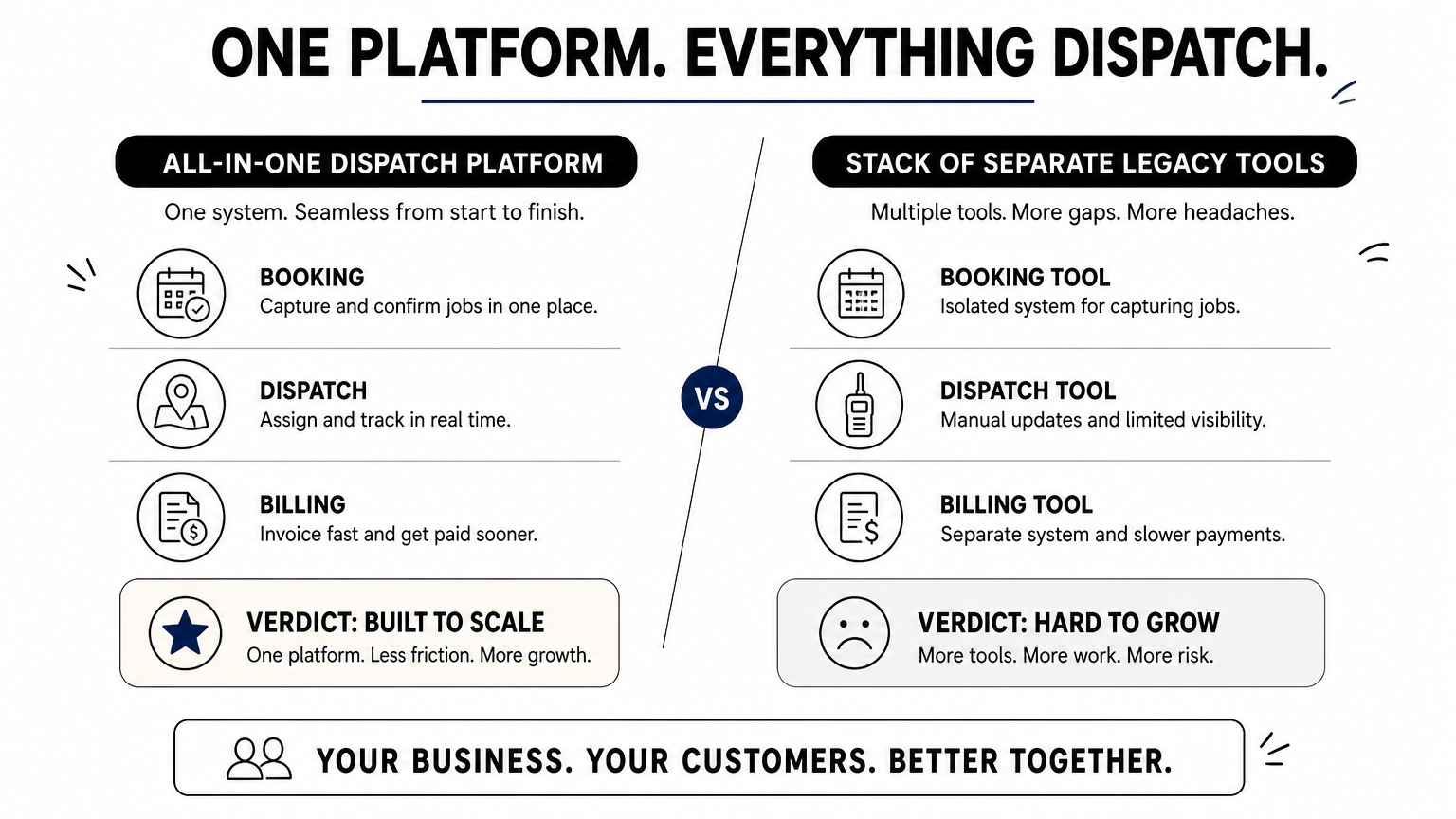
Limozoft is purpose-built all-in-one limo software for chauffeur, limo, and taxi operators running 1 to 50 vehicles. Unlike legacy suites that sell booking, dispatch, and driver tools as separate modules, Limozoft bundles everything into one connected platform. That matters if you've ever tried to reconcile a booking widget from one vendor with a dispatch board from another, only to find the data doesn't sync.
How it works
You run your entire operation from a single dashboard: a white-labeled web booker captures reservations and card payments, the dispatch console assigns trips on a live map, and dedicated apps push real-time updates to drivers and passengers. Same-week launch is standard, and the team migrates your existing customers, reservations, and rates over from platforms like Limo Anywhere at no extra cost on annual plans.
One flat fee replaces four separate subscriptions, which is the whole point.
Best for
Owner-operators and small fleet owners who are tired of quote-based pricing and per-module add-ons fit this best. It also suits operators serving corporate accounts that need PO invoicing and net-30 terms, since that billing workflow is built in rather than bolted on.
Key features
- Embeddable Web Booker with instant quotes for airport, hourly, and point-to-point trips, plus Apple Pay and Google Pay
- Native Chauffeur App with turn-by-turn navigation, digital signatures, and live trip status
- Passenger app with live vehicle tracking, rebooking, and digital receipts
- Limousine dispatch system with drag-and-drop assignment, auto-assignment, flight tracking, and farm-in/farm-out
- Direct Stripe payouts to your own bank account, not a vendor-controlled merchant account
- Live support via WhatsApp, email, or scheduled calls
Pricing
Limozoft charges a one-time $399 setup fee plus $10 to $40 a month depending on fleet size. There are no per-trip fees, no per-driver seat charges, and no long-term contract, it's month-to-month throughout.
| Plan Element | Cost |
|---|---|
| Setup fee | $399 one-time |
| Monthly fee | $10-$40 (by fleet size) |
| Contract | Month-to-month |
| Migration | Free on annual plans |
Because pricing scales with fleet size instead of per-trip volume, a busy two-car chauffeur service pays the same flat rate as a quieter one, which makes budgeting far simpler once you compare the real monthly cost of each platform.
2. iDispatch: dispatch software for passenger transport
iDispatch is a long-standing dispatch platform built for limousine, black car, and paratransit operators who need a full reservation and dispatch system without the newer, leaner interface Limozoft offers. It's been around for years and has a loyal base among mid-size fleets that value depth of features over simplicity.
How it works
Dispatchers work from a central console that manages reservations, driver assignments, and billing in one screen. Trips get entered manually or pulled from a booking form, then routed to drivers through a companion mobile app. Reporting tools cover payroll, commissions, and corporate account statements, which larger back-office teams tend to rely on heavily.
More screens and more configuration options mean more time spent training staff before you see any payoff.
Best for
Established operators with a dedicated dispatch team and the patience to configure a feature-heavy system suit iDispatch well. It's less suited to solo owner-operators who want to launch fast, since setup and onboarding take longer than with lighter platforms.
Key features
- Reservation and dispatch console with driver assignment tools
- Mobile app for drivers with trip details and status updates
- Payroll, commission, and corporate billing reports
- Integration options for third-party accounting software
Pricing
iDispatch doesn't publish flat pricing online, quotes are handled case by case based on fleet size and modules selected. That quote-based model is exactly the kind of unpredictable fleet dispatch software cost structure that pushes many small operators to check what dispatch software really costs by fleet size before committing.
3. Geotab: fleet dispatch software with telematics
Geotab takes a different approach than the booking-and-dispatch platforms above. It's a telematics and fleet management provider that layers GPS tracking, vehicle diagnostics, and route data on top of whatever dispatch workflow you already run. Larger fleets often pair Geotab's data with a separate dispatch tool rather than use it as a standalone booking system.
How it works
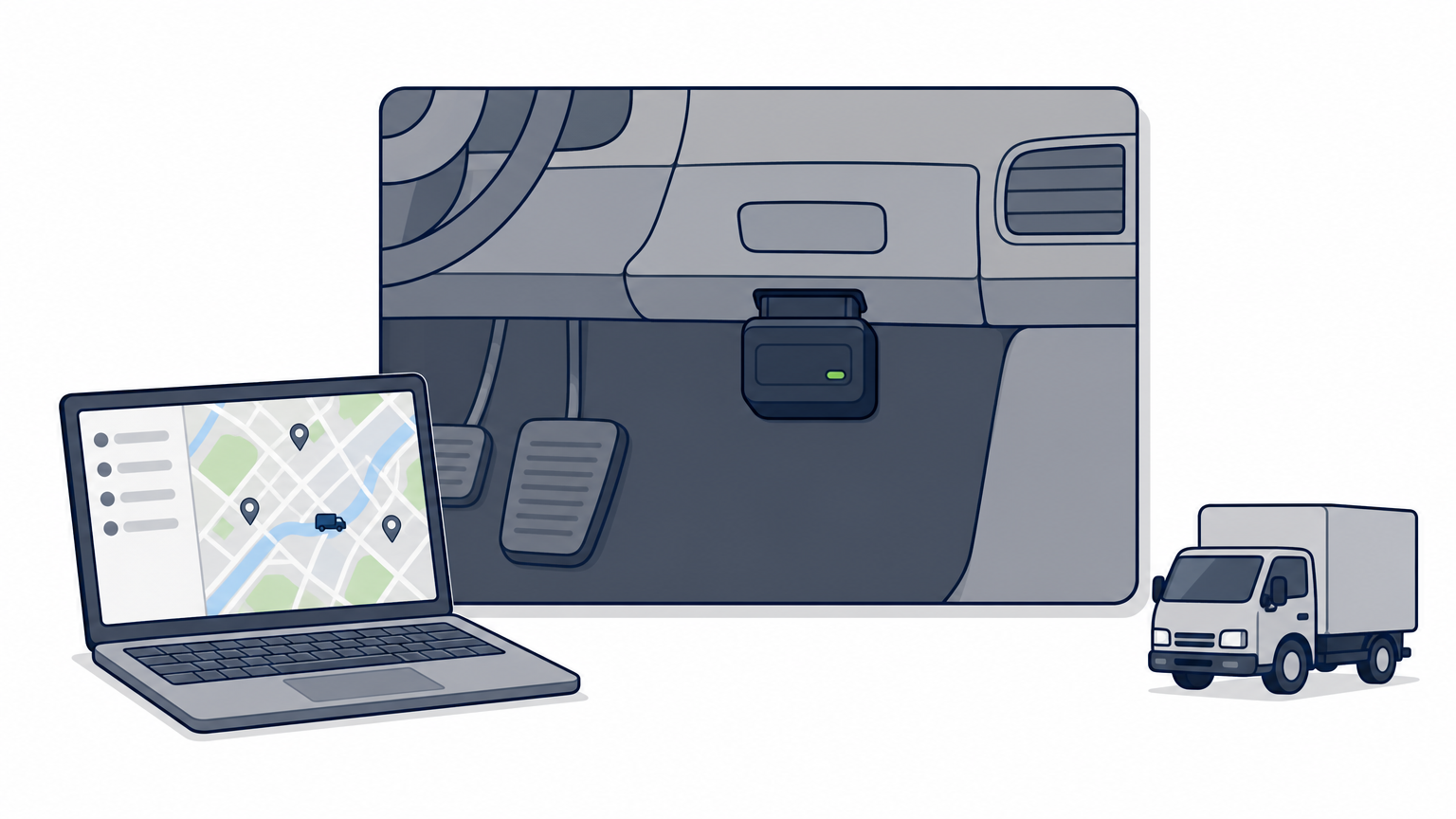
A plug-in device (the GO device) installs in each vehicle and streams engine, location, and driver behavior data to Geotab's cloud platform. Fleet managers view everything through the MyGeotab dashboard, and the open Geotab Marketplace lets you connect that data to third-party dispatch or routing software through APIs.
Telematics tells you where your vehicles are; it doesn't book the trip or bill the client.
Best for
Operators running larger mixed fleets, especially those juggling trucks and passenger vehicles, who need hard data on fuel use, idling, and driver safety benefit most. It suits businesses that already have a dispatch or transport dispatch software system and want to bolt on deeper vehicle diagnostics rather than replace their booking workflow entirely.
Key features
- Real-time GPS tracking and historical route playback
- Engine diagnostics, fuel usage, and maintenance alerts
- Driver safety scoring and coaching reports
- Open API and marketplace for third-party dispatch integrations
Pricing
Geotab doesn't publish flat consumer pricing. Costs depend on the GO device model, subscription tier, and reseller, and most operators go through a partner for a custom quote.
4. Truckbase: dispatch software for small trucking fleets
Truckbase targets small trucking companies moving freight, not passengers, which sets it apart from every chauffeur or limo platform on this list. If you run box trucks, dry vans, or reefers rather than sedans and vans, this is the kind of dispatch software for transportation of goods you'd actually shortlist.
How it works
Dispatchers build loads inside a shared board, assign them to drivers, and track status from tendered to delivered without leaving the app. Documents like rate confirmations and PODs attach directly to each load, and the system flags missing paperwork before it becomes a billing headache.
A load board that also chases your paperwork saves more time than a faster map view ever will.
Best for
Owners running 5 to 50 trucks who currently juggle spreadsheets, email, and a separate accounting tool find the most value here. Small carriers who need factoring-ready invoices without hiring a back-office team fit especially well.
Key features
- Load board with driver assignment and status tracking
- Document management for rate confirmations, PODs, and BOLs
- Automated invoicing tied to delivered loads
- Driver mobile app for status updates and document uploads
Pricing
Truckbase prices per truck per month, with published tiers rather than a sales quote. Costs typically start in the range most small carriers can budget for without a long-term contract, though exact figures depend on fleet size and add-ons at signup.
5. Connecteam: workforce scheduling for dispatch teams
Connecteam isn't dispatch software in the trip-booking sense, it's a workforce management app that many small transportation businesses lean on for scheduling, time tracking, and internal communication alongside whatever booking system they already run. If your dispatch headaches are more about who's clocked in and who's covering a shift than about routing a passenger, this fits a different gap than the platforms above.
How it works
Managers build shift schedules in a drag-and-drop calendar, assign them to drivers, and push updates through an in-app chat that replaces the group text thread. Drivers clock in with GPS-verified time tracking, submit forms like vehicle inspection checklists, and see their next shift without calling the office.
Scheduling software keeps your team organized, but it still won't quote a fare or track a passenger's ride.
Best for
Operators managing a larger driver roster across shifts, especially shuttle or fleet dispatch software users who need shift coverage more than trip-level dispatch, get the most out of Connecteam. It also suits fleets that already have a dedicated booking and dispatch tool and just need better internal scheduling on top.
Key features
- Drag-and-drop shift scheduling with driver availability
- GPS time clock and timesheet exports for payroll
- In-app chat and company-wide announcements
- Digital forms and checklists for inspections or incident reports
Pricing
Connecteam offers a free plan for very small teams, with paid tiers starting around $29 a month for up to 30 users and scaling from there. There's no long-term contract requirement, and pricing is published openly rather than quote-based.
6. ITS Dispatch: TMS for carriers and brokers
ITS Dispatch is a transportation management system built specifically for freight carriers and brokers who move loads, not passengers. It's owned by DAT, one of the largest freight marketplaces in North America, so it plugs directly into load boards that many small carriers already use to find work.
How it works
Dispatchers create loads, assign trucks and drivers, and generate rate confirmations and invoices from a single web-based console. Because it's tied to the DAT network, brokers can post loads and carriers can pull them into the same dispatch board without re-entering data, which cuts down on the double-keying that eats up a dispatcher's morning.
Freight dispatch and passenger dispatch solve different problems, so don't expect a truck-focused TMS to book a limo ride.
Best for
Small trucking companies and freight brokers who already work the DAT load board and want their dispatch, invoicing, and carrier paperwork under one login fit best here. It's not built for chauffeur, taxi, or shuttle operators; those businesses need transportation dispatch software designed around passengers, quotes, and rider apps rather than freight lanes, which is where taxi dispatch platforms for small and mid fleets come in.
Key features
- Load creation, dispatch, and status tracking in one board
- Integrated invoicing and rate confirmation generation
- Direct connection to DAT's load board network
- Carrier and driver document storage
Pricing
ITS Dispatch publishes tiered monthly plans based on the number of trucks and users, rather than requiring a custom sales quote, which makes budgeting easier for small carriers comparing options.
7. Onfleet: dispatch software for last-mile deliveries
Onfleet serves a different crowd than the passenger and freight platforms above: it's built for businesses delivering packages, meals, or parcels to a stream of stops rather than moving people or truckloads. If you run a courier service, meal delivery fleet, or same-day parcel business, this is the dispatch software for transportation of goods you'd actually put on your shortlist instead of a chauffeur-focused tool.
How it works
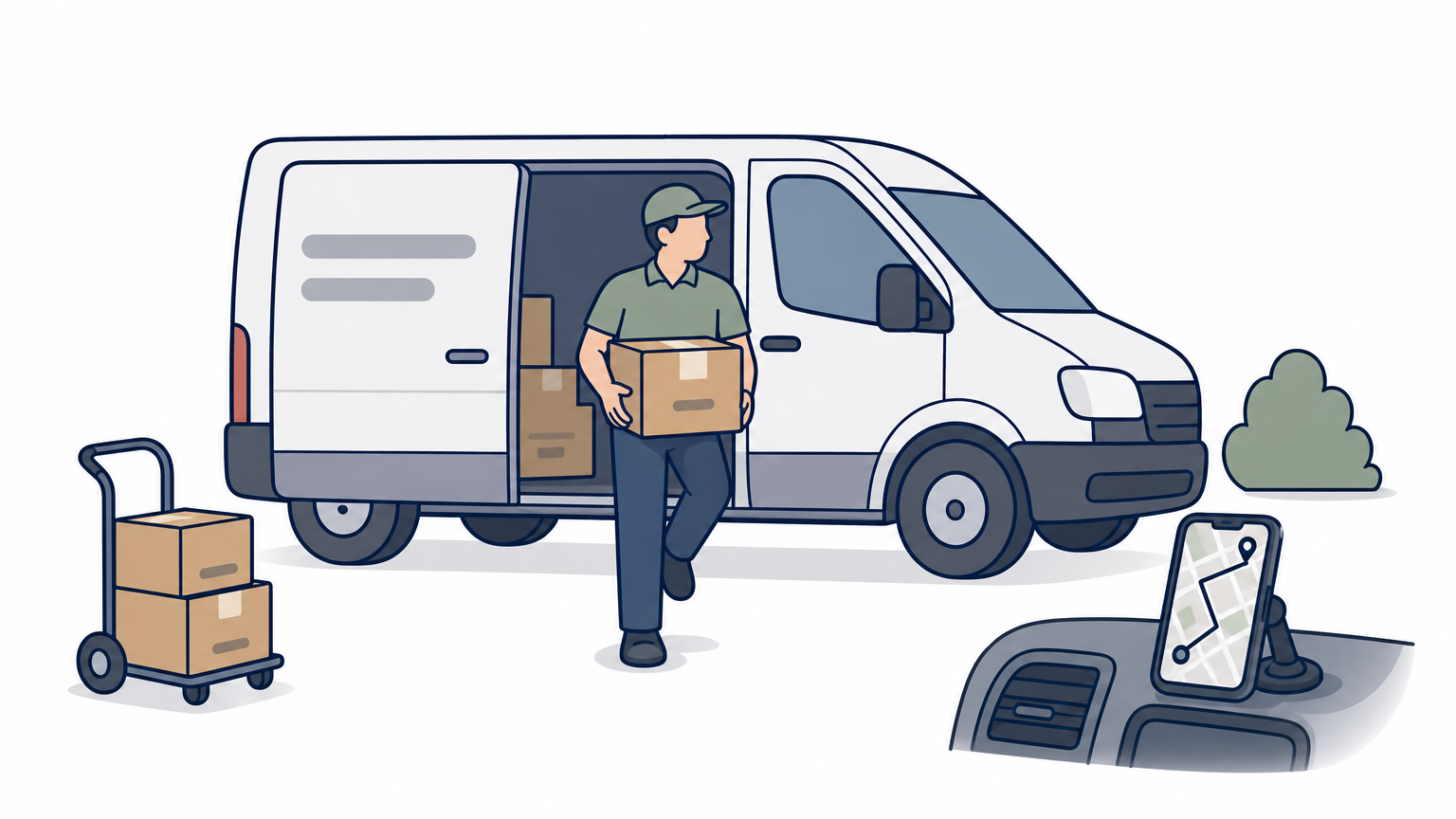
Dispatchers upload or import a batch of delivery stops, and Onfleet's route optimization engine sequences them for each driver automatically. Drivers follow turn-by-turn directions in a dedicated app, capture proof of delivery with photos or signatures, and customers get live SMS tracking links without needing to install anything themselves.
Route optimization for stops, not fares, is the whole reason Onfleet exists.
Best for
Courier companies, meal and grocery delivery operations, and parcel businesses running dozens of daily stops per driver get the most value here. It's a poor fit for chauffeur, limo, or taxi operators who need trip quoting, corporate PO billing, or a passenger-facing booking widget, since Onfleet has none of that built in.
Key features
- Automatic route optimization across multiple drivers and stops
- Driver app with turn-by-turn navigation and proof-of-delivery capture
- Real-time customer SMS tracking links
- Analytics dashboard for delivery times and driver performance
Pricing
Onfleet publishes tiered pricing per driver per month, starting with a limited free trial and scaling into paid plans as your delivery volume and driver count grow. There's no flat setup fee, but costs climb quickly once you add more drivers or need advanced routing features.
8. Axon: trucking dispatch and fleet visualization
Axon rounds out this list as another freight-focused option, aimed at trucking companies that want a visual, map-driven view of every load and truck rather than a spreadsheet of trip numbers. It sits closer to Truckbase and ITS Dispatch than to the passenger-focused platforms above, so if you're moving people rather than pallets, skip ahead to the buying guide below.
How it works
Dispatchers see every truck plotted on a live map alongside its current load status, so assigning the nearest available driver to a new pickup takes seconds instead of a phone call. Load details, driver hours, and delivery windows sit in the same view, and the system flags conflicts, like a driver running short on hours of service, before they turn into a missed appointment.
Seeing every truck on a map at once catches conflicts a spreadsheet never will.
Best for
Small to midsize trucking fleets that need a visual dispatch board more than deep freight-broker integrations fit best here. Owners who dispatch loads themselves, without a large back-office team, benefit from the map-first layout since it cuts down on the mental math of tracking which truck is where.
Key features
- Live map view of trucks, loads, and delivery status
- Hours-of-service and driver conflict alerts
- Load assignment and status tracking
- Basic reporting on delivery times and truck utilization
Pricing
Axon prices per truck through a sales quote rather than published tiers, so exact costs depend on fleet size and the modules you select at signup.
9. How to choose the right dispatch software for your fleet
Start by naming what you actually move. Passenger platforms like Limozoft, iDispatch, or Onfleet solve a completely different problem than freight tools like Truckbase, ITS Dispatch, or Axon, and no amount of feature comparison fixes a mismatch at that level. Fleet dispatch software built for trucks won't quote a wedding limo trip, and passenger dispatch tools won't handle a rate confirmation or a BOL.
Once you know your category, weigh these five factors against your actual fleet size and budget, using a working operator's selection framework as your guide:
- Pricing structure: flat monthly fee versus per-trip or per-driver charges that punish growth
- Contract length: month-to-month versus annual lock-in you can't exit if the fit is wrong
- Setup time: same-week launch versus a multi-week onboarding project
- Data migration: whether existing customers, rates, and reservations move over for free
- Support access: live chat or WhatsApp versus ticket queues with multi-day response times
The best dispatch software fits the vehicles you actually run, not the demo you were shown, so send every vendor the same written questions before you sign.
Budget matters just as much as features. A two-vehicle chauffeur startup should stick to limo software sized for small operators rather than pay for a freight-broker integration it will never touch, and a 40-truck carrier shouldn't settle for a passenger booking widget with no load board. Match the tool to the trip type first, then negotiate on price second, and you'll avoid the quote-based pricing traps that make several platforms on this list hard to budget for in advance.
Finding the right fit for your business
Eight platforms, three very different jobs. Freight tools like Truckbase, ITS Dispatch, and Axon move pallets. Onfleet moves packages. Connecteam and Geotab handle scheduling and telematics, not bookings. Only a handful, Limozoft and iDispatch chief among them, actually quote fares, dispatch drivers, and bill corporate clients for passenger trips. That's the real starting filter, not price or feature count.
Given that, most chauffeur, limo, and taxi operators running 1 to 50 vehicles land on Limozoft: one flat fee, no per-trip charges, no annual contract holding you hostage if the fit changes. Same-week launch beats a multi-week onboarding project every time, and free migration means you're not stuck re-entering years of customer data by hand.
Stop patching together a booking widget from one vendor and a dispatch board from another. See what purpose-built limo dispatch software for 1–50 vehicle fleets looks like, and book a live demo to get your entire operation, booking, dispatch, driver and passenger apps, running from one dashboard by next week.
See Limozoft on your own reservation data.
30-minute walkthrough. No slide deck. Launch in 5 working days.
Book a free demo →